← 返回线下交流 · 课件馆
C
Obsidian + Codex Knowledge Base Cornell-ready bilingual courseware / 中英双语课件
Module 1 / 第一模块

Obsidian + Codex: Building a Local-First AI Knowledge Base

A practical way for college students to turn notes, readings, projects, and AI conversations into a durable learning system.

一套给大学生用的实践方法:把课堂笔记、阅读资料、项目记录和 AI 对话沉淀成长期可复用的学习系统。

English

This course does not start with databases or complex AI infrastructure. It starts with a folder of plain Markdown files that both you and Codex can read.

The goal is simple: make your knowledge portable, searchable, reviewable, and useful in future work.

中文

这门课不从数据库或复杂 AI 架构开始,而是从一个普通 Markdown 文件夹开始。你能读,Codex 也能读。

目标很简单:让知识可迁移、可搜索、可复盘,并能在未来任务中继续发挥作用。
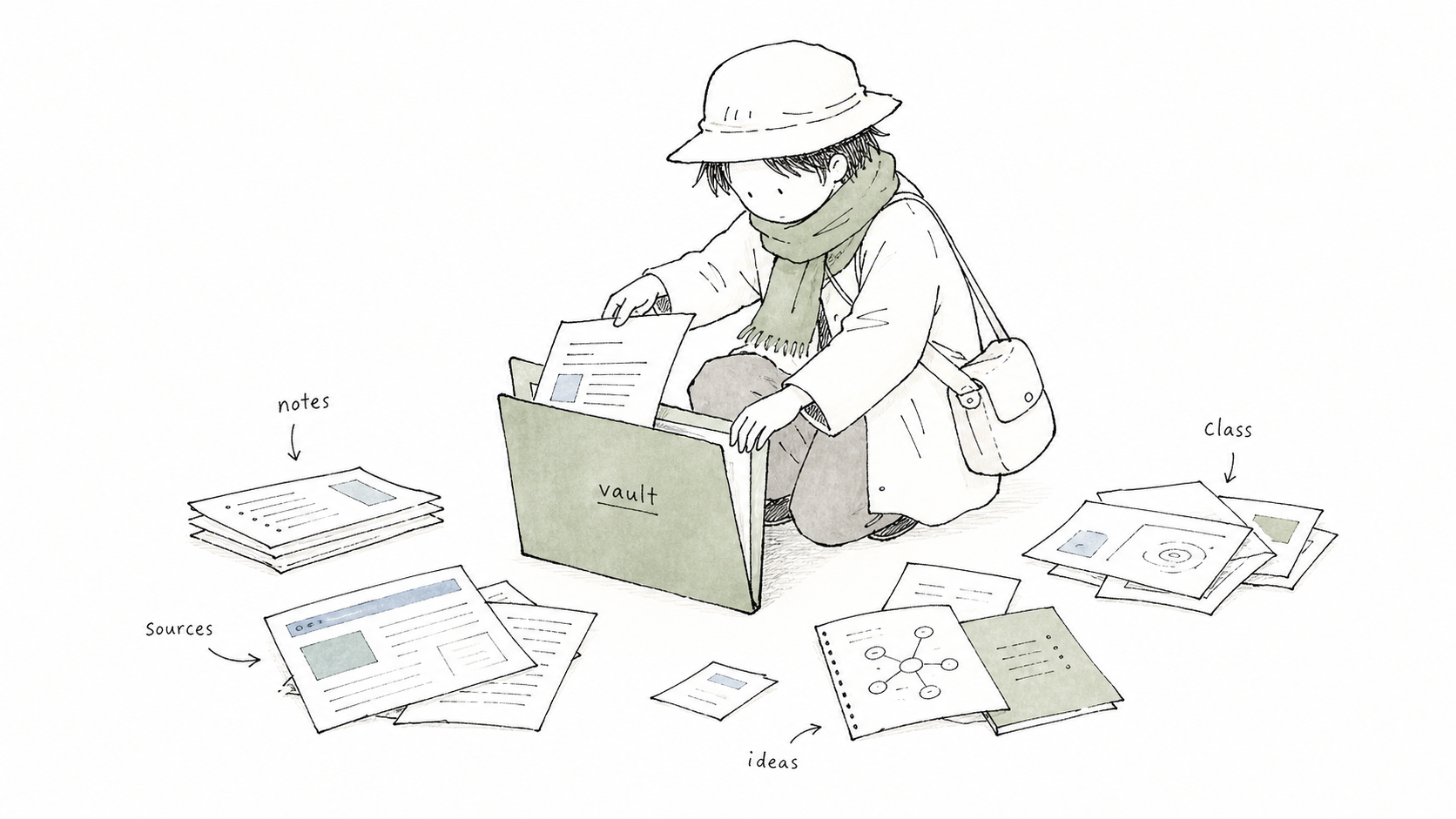
A hand-drawn traveler gathering notes into a vault folder
Core idea / 核心概念

A knowledge base is not a chatbot memory. It is a readable working library.

English

Chat history is fragile. A knowledge base is different: it is a set of files that you can inspect, edit, cite, back up, and reorganize.

For students, this matters because learning is cumulative. Readings, lecture notes, lab observations, and project decisions should not disappear inside one conversation window.

中文

聊天记录很脆弱。知识库不同,它是一组你可以查看、编辑、引用、备份和重新组织的文件。

对学生来说,这很重要,因为学习是累积过程。阅读笔记、课堂记录、实验观察、项目决策,不应该消失在某个聊天窗口里。

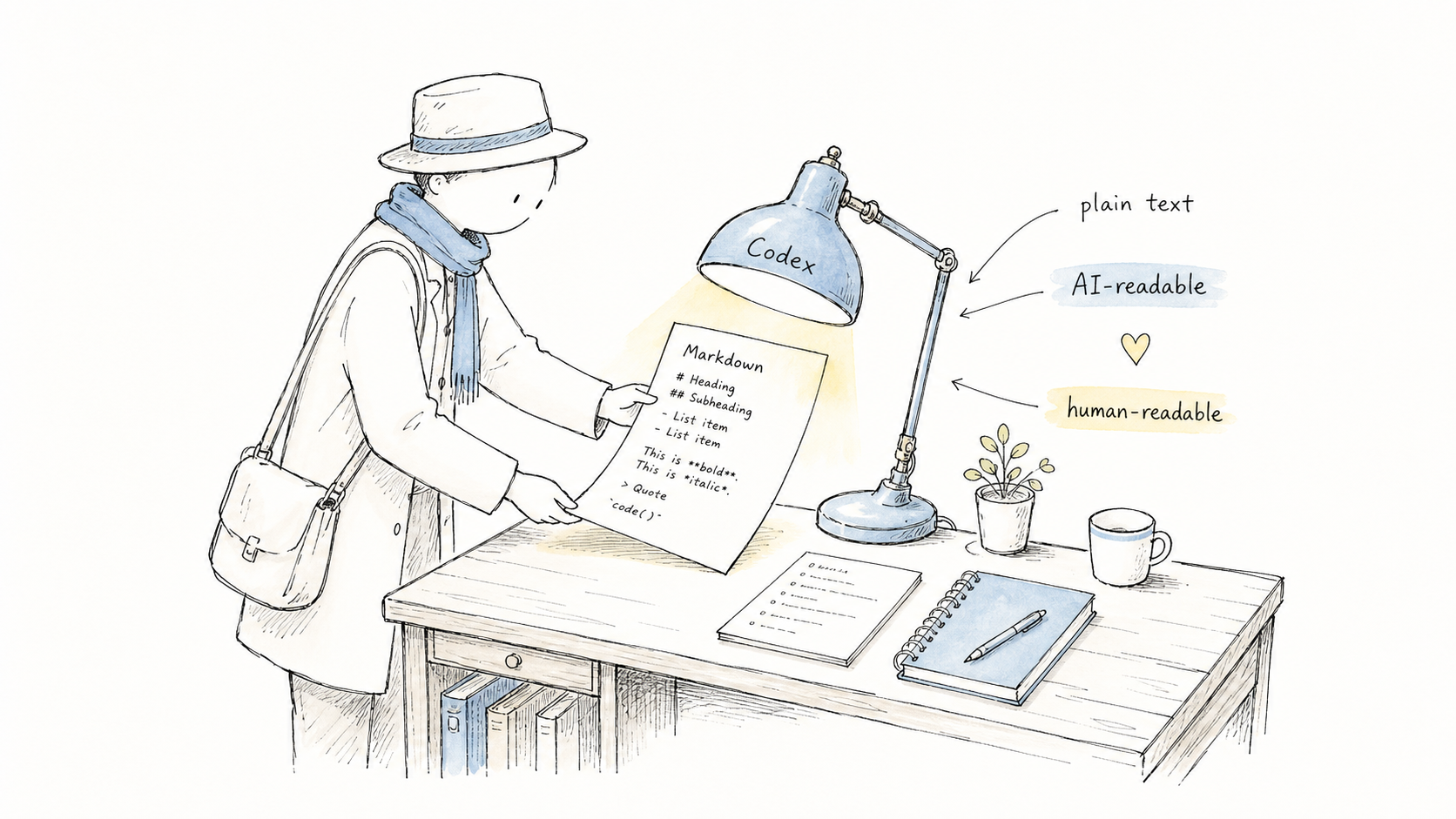
Markdown notes under a Codex lamp
Why local-first / 为什么本地优先

Start with files before you start with infrastructure.

English

  • Markdown keeps notes readable outside any app.
  • Local folders keep ownership clear.
  • Obsidian adds links, search, graph views, and plugins.
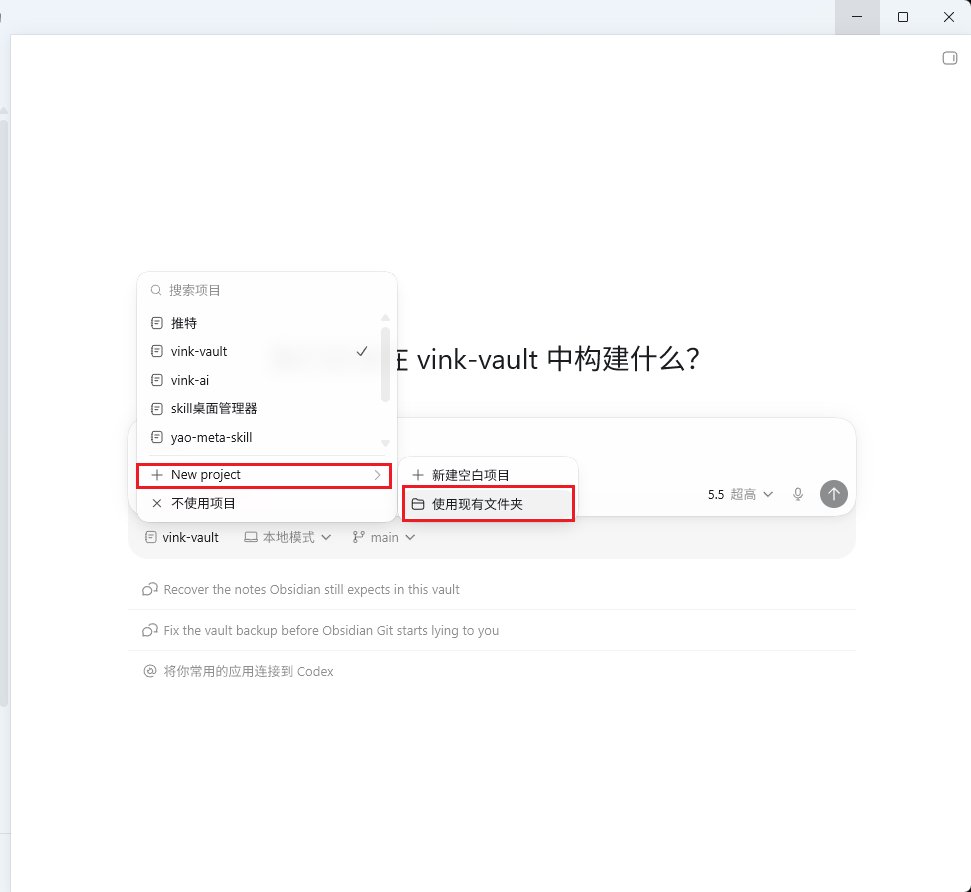
  • Codex can work directly with the files when you choose the vault as the workspace.

中文

  • Markdown 让笔记离开任何 App 仍可阅读。
  • 本地文件夹 让所有权清楚。
  • Obsidian 提供双链、搜索、图谱和插件。
  • Codex 可以在你选择 vault 作为工作区后直接处理这些文件。
Vault as a local folder
KISS / 简单优先

Do not start with RAG if a folder and a template solve the first problem.

English

RAG, vector databases, and automation can be useful later. They are not the first step for a student learning system.

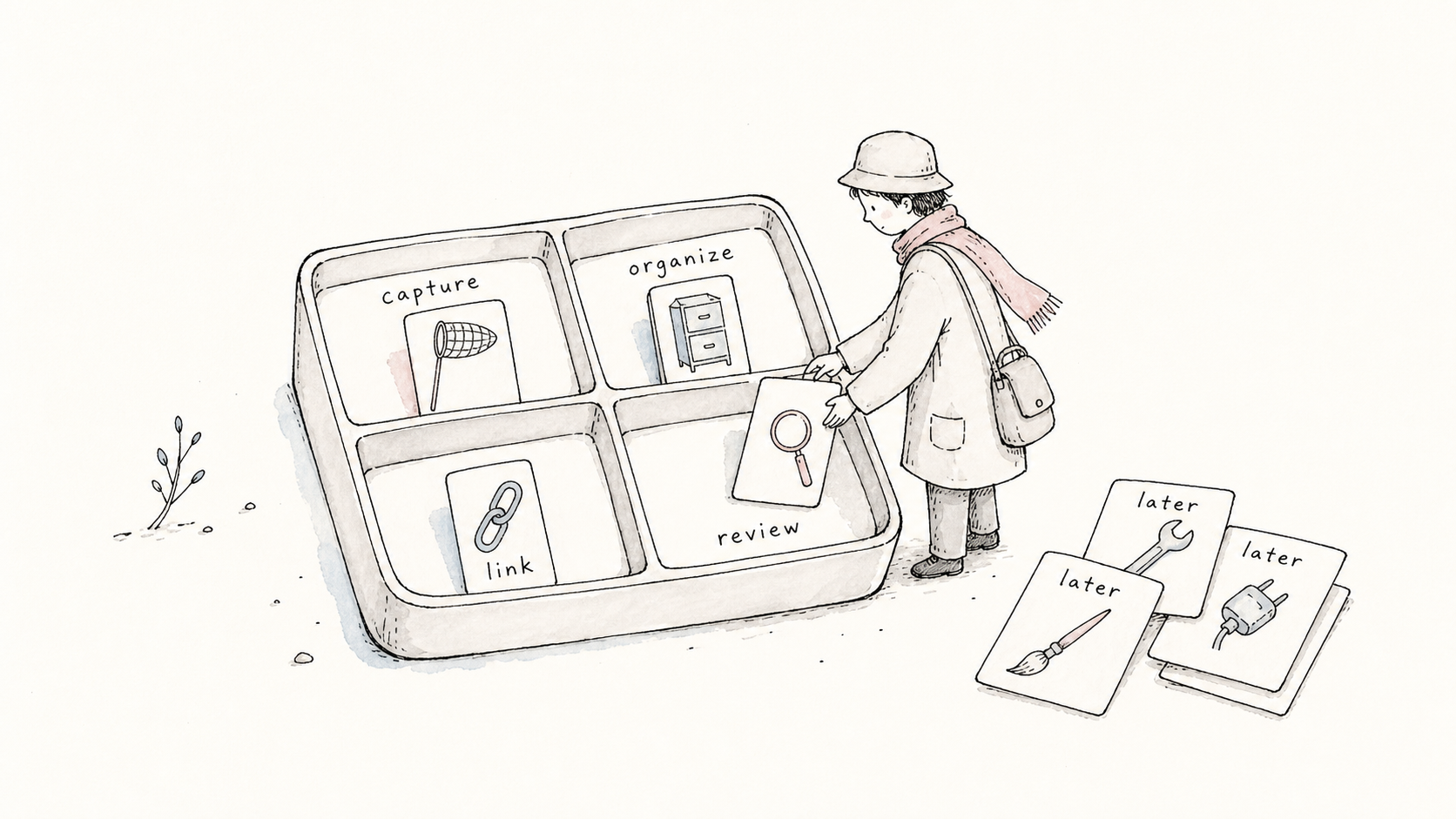
The first step is a repeatable habit: capture a source, summarize it, link it, and review it.

中文

RAG、向量数据库和自动化以后可能有用,但不是学生知识系统的第一步。

第一步是一个可重复的习惯:收集来源、总结内容、建立链接、定期复盘。

A gentle workflow map
Source workflow / 原文融合

The source post gives us a practical five-minute path.

Source: raw/articles/5分钟教你组建和 AI 共同的知识库.md, based on a 2026-07-04 X post by @Vinkyu567.

English

The original article makes a useful teaching point: do not begin with RAG, vector databases, or automation plugins. Begin with Obsidian, Markdown, fixed templates, and AI-assisted organization.

For Cornell students, this is the shortest bridge from scattered course material to a durable learning vault.

中文

原文最重要的判断是:不要一开始就研究 RAG、向量数据库或自动化插件。先用 Obsidian、Markdown、固定模板和 AI 辅助整理跑通。

对 Cornell 学生来说,这就是从散乱课程资料走向长期学习仓库的最短路径。

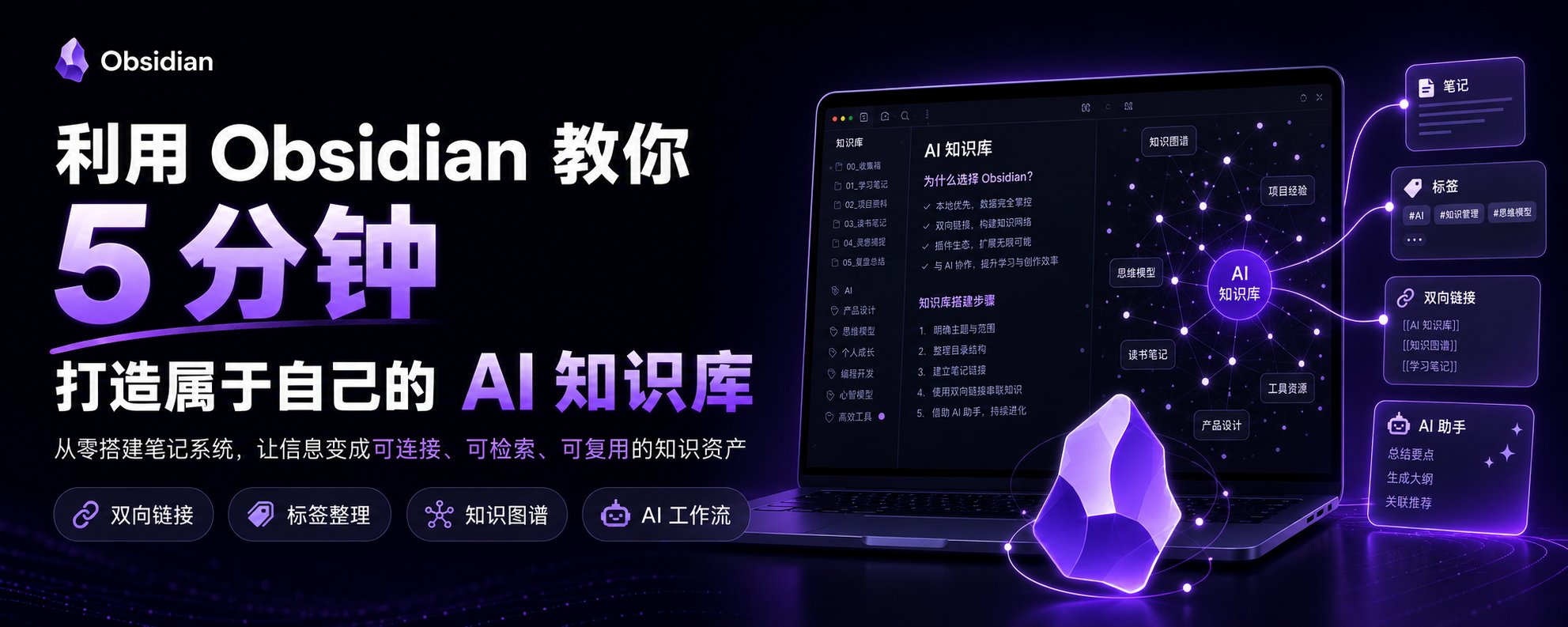
Source post overview screenshot
Five-minute setup / 五分钟搭建

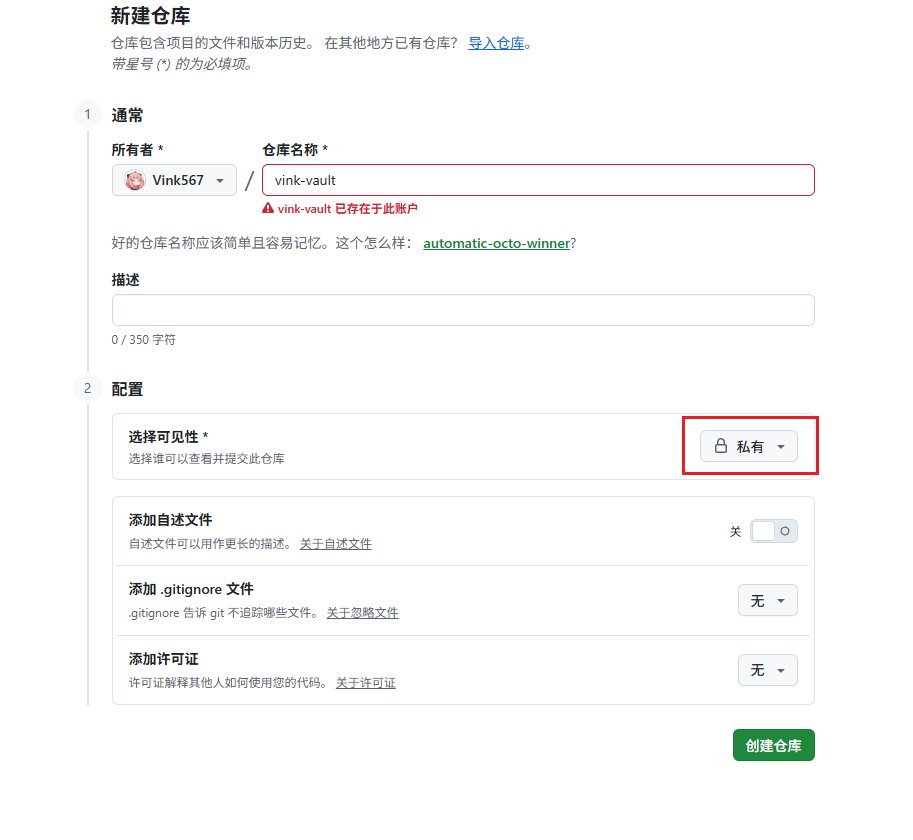
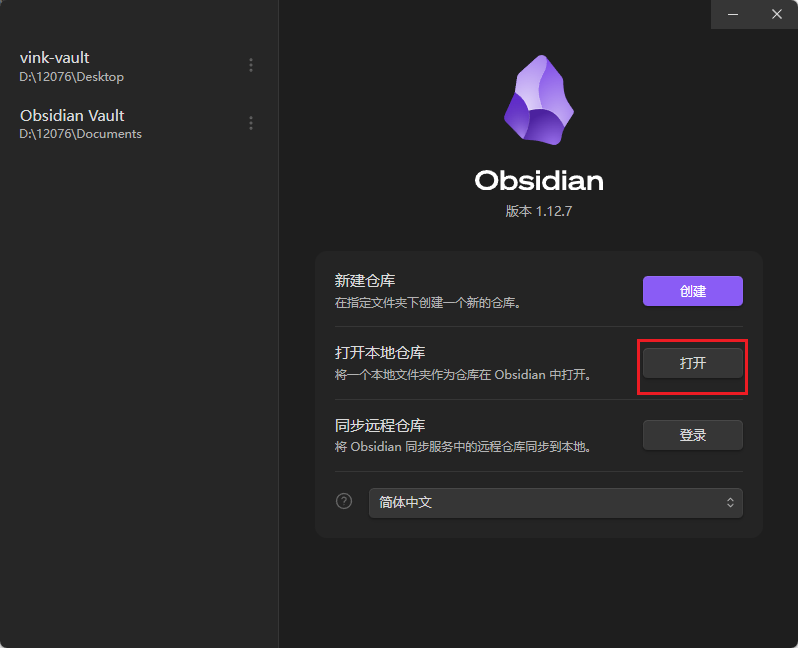
Install Obsidian, create a private GitHub repo, then open the cloned folder as a vault.

English

  1. Download Obsidian from the official site.
  2. Create a private GitHub repository for sync.
  3. Clone it locally with GitHub Desktop or Git.
  4. Open that local folder in Obsidian.

中文

  1. 从官网下载 Obsidian。
  2. 在 GitHub 创建私有仓库用于同步。
  3. 用 GitHub Desktop 或 Git 克隆到本地。
  4. 在 Obsidian 中打开这个本地文件夹。
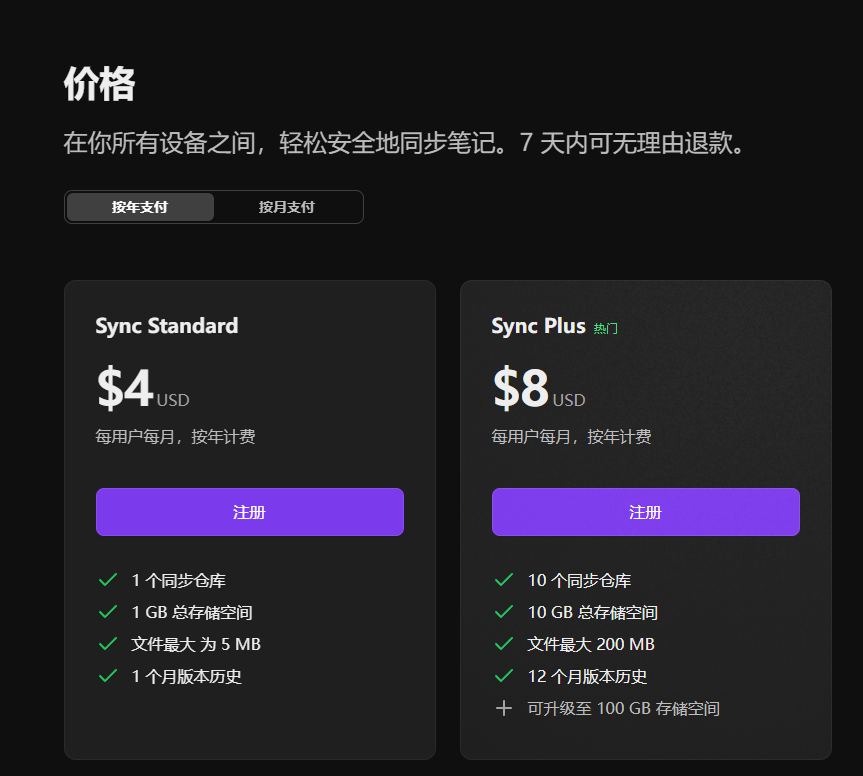
Obsidian sync pricing screenshotOfficial app and sync context
GitHub private repo screenshotCreate a private repository
Open folder in Obsidian screenshotOpen the cloned folder in Obsidian
Codex project folder screenshotSelect the vault folder in Codex
Git plugin path / Git 插件路线

Obsidian Git connects the local vault to the private backup lane.

English

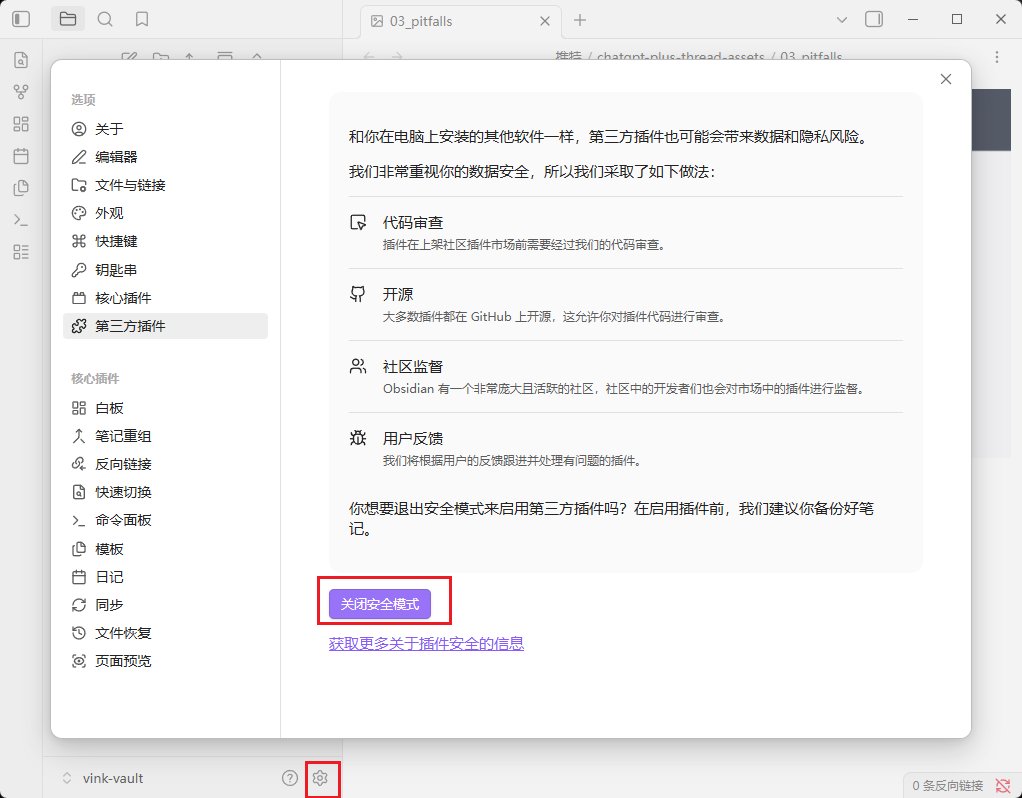
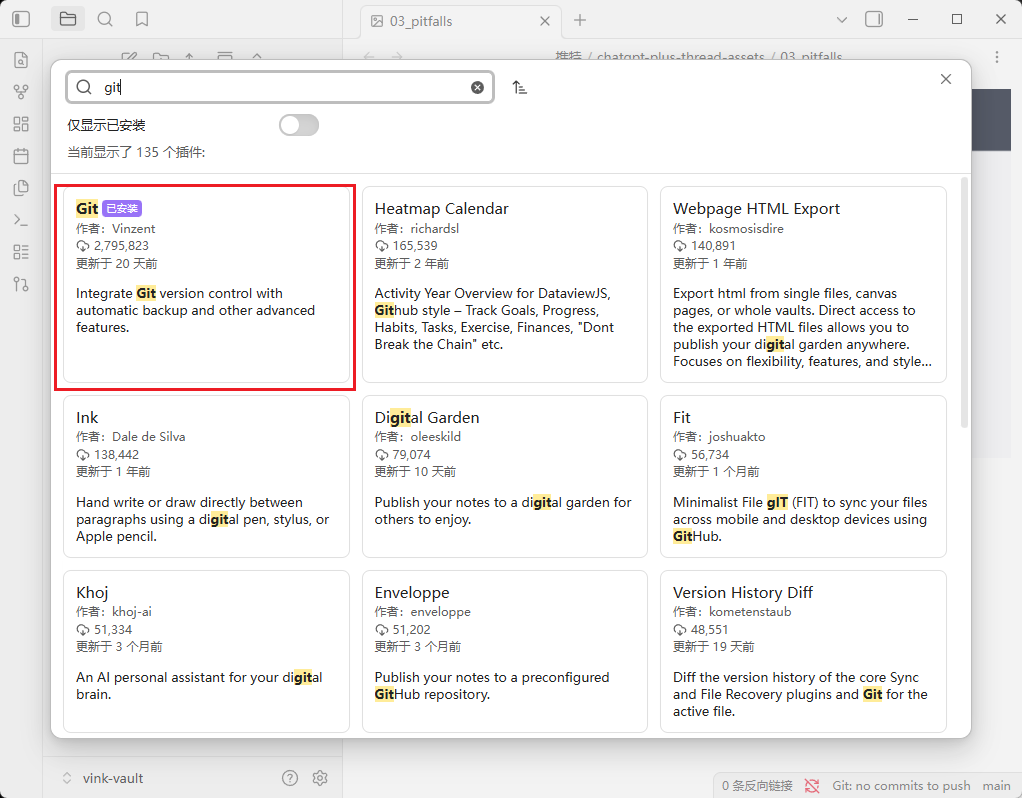
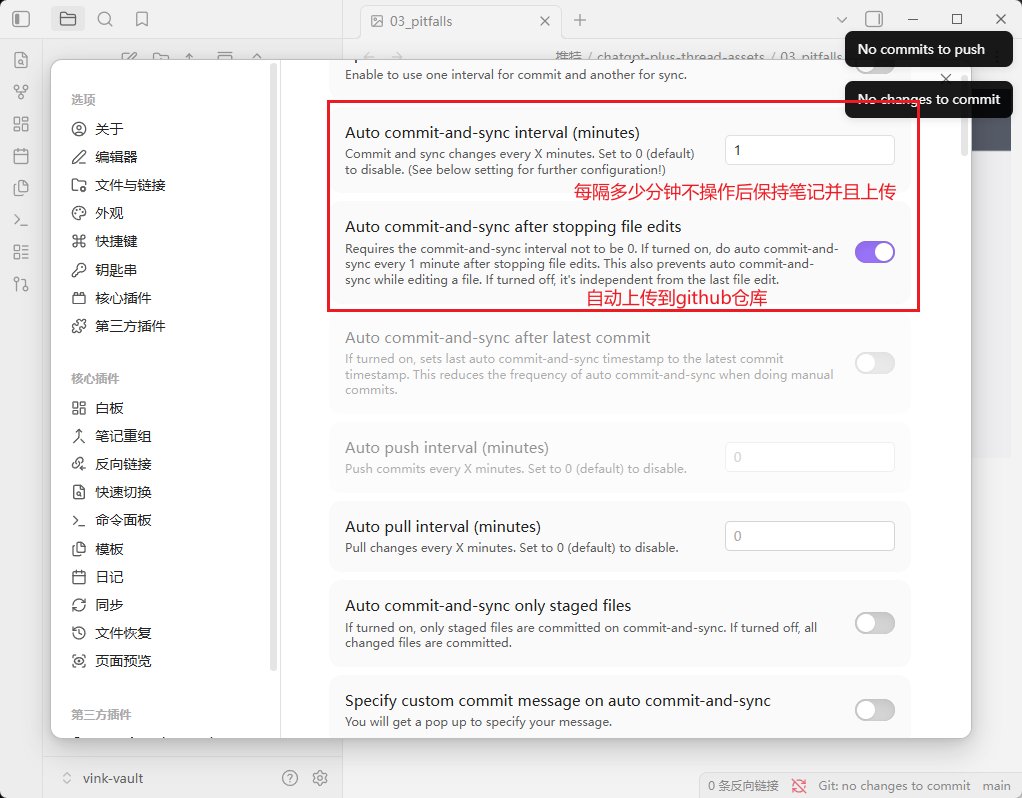
The source post shows the common path: enable community plugins, find the Git plugin, enable it, and configure an auto-backup rhythm.

In a class setting, students should understand what Git is doing before enabling frequent automatic commits.

中文

原文展示了常见路线:打开第三方插件,找到 Git 插件,启用它,再设置自动备份节奏。

在课堂里,学生应该先理解 Git 在做什么,再启用高频自动提交。

Community plugins settings screenshotEnable community plugins
Git plugin market screenshotFind Obsidian Git
Obsidian Git settings screenshotConfigure backup behavior
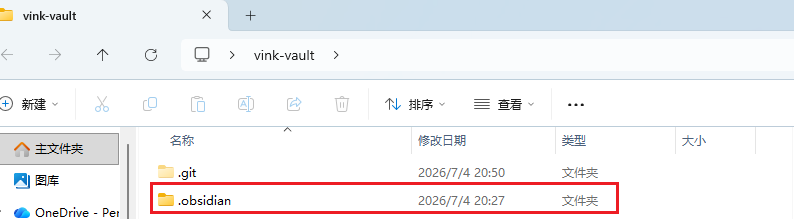
gitignore screenshotUse .gitignore for local state
Capture tools / 收集工具

After the vault exists, add capture tools only when they serve the workflow.

English

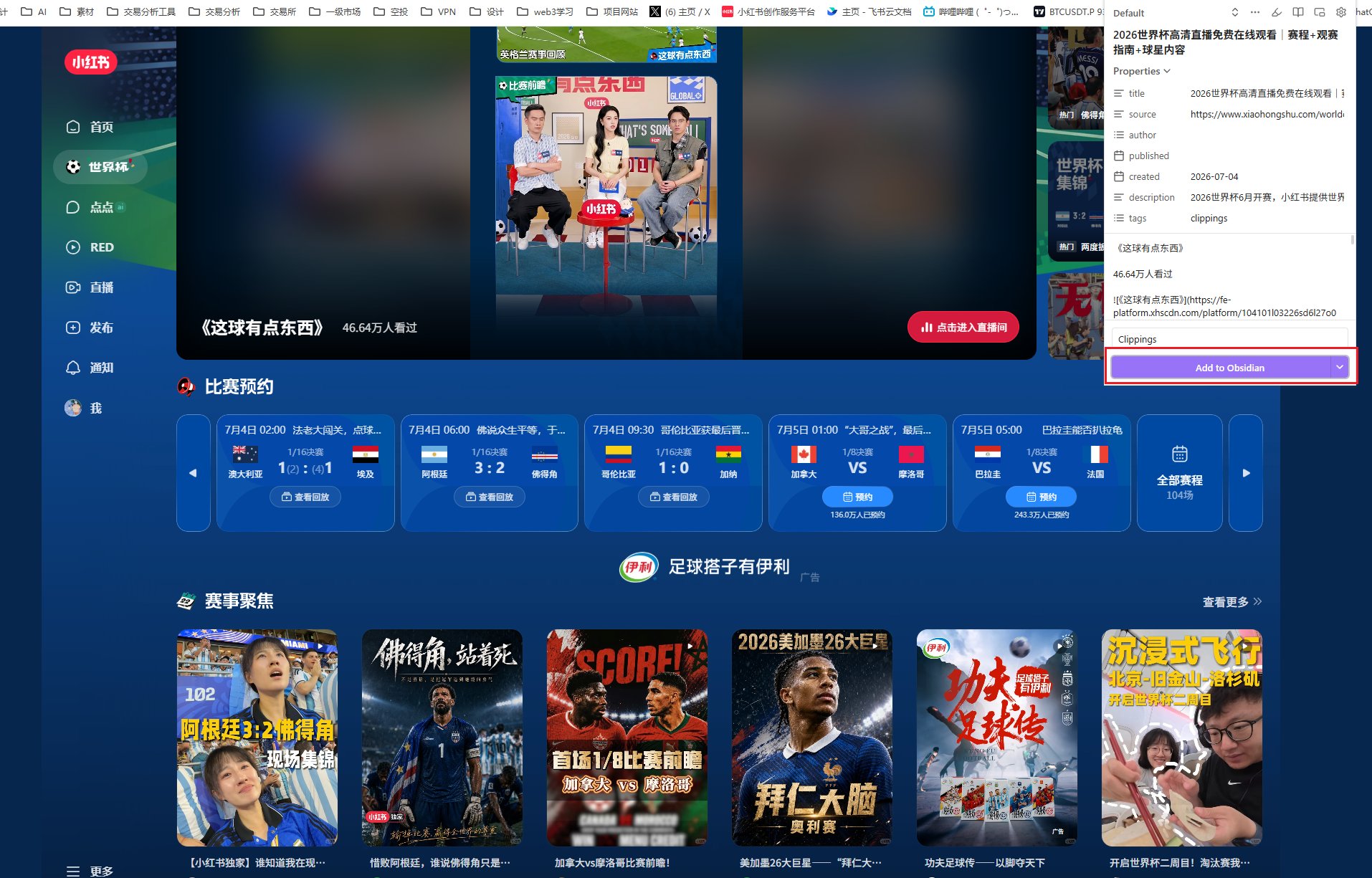
The source article recommends Xiaohongshu Importer and Obsidian Web Clipper. For international students, the general lesson is broader: choose capture tools based on where your learning material actually lives.

Web Clipper is best treated as a browser-side companion. Importers are optional and source-specific.

中文

原文推荐了 Xiaohongshu Importer 和 Obsidian Web Clipper。对国际学生来说,更通用的原则是:资料在哪里,就选择对应的收集工具。

Web Clipper 更像浏览器侧的收集助手;Importer 是可选的、来源特定的工具。

Plugin recommendation screenshotCapture plugins and browser clipping
Plugin bento illustrationInstall tools by workflow, not by hype
Minimum viable vault / 最小可用仓库

One vault. A few folders. One operating manual for AI.

my-learning-vault/
  inbox/
  sources/
  notes/
  projects/
  templates/
  assets/
  AGENTS.md

English

AGENTS.md tells Codex how to work with this vault: what to read first, where to place outputs, what not to touch, and how to cite sources.

中文

AGENTS.md 是写给 Codex 的操作手册:先读哪里、产物放哪里、哪些不能动、来源如何标注。

Markdown and AI collaboration
Vault vs configuration / 仓库与配置

The vault is your knowledge. .obsidian/ is mostly app configuration.

English

A vault is just a folder. Your notes are normal files. The .obsidian/ folder stores settings, workspace layout, and plugin state.

When syncing with Git, be intentional about which config files you include. Some teams sync selected settings; beginners can start by excluding most local state.

中文

Vault 本质上只是文件夹。你的知识是普通文件。.obsidian/ 多数是设置、界面布局和插件状态。

用 Git 同步时,要有意识地决定同步哪些配置。初学者可以先排除大部分本地状态,后面再精细调整。

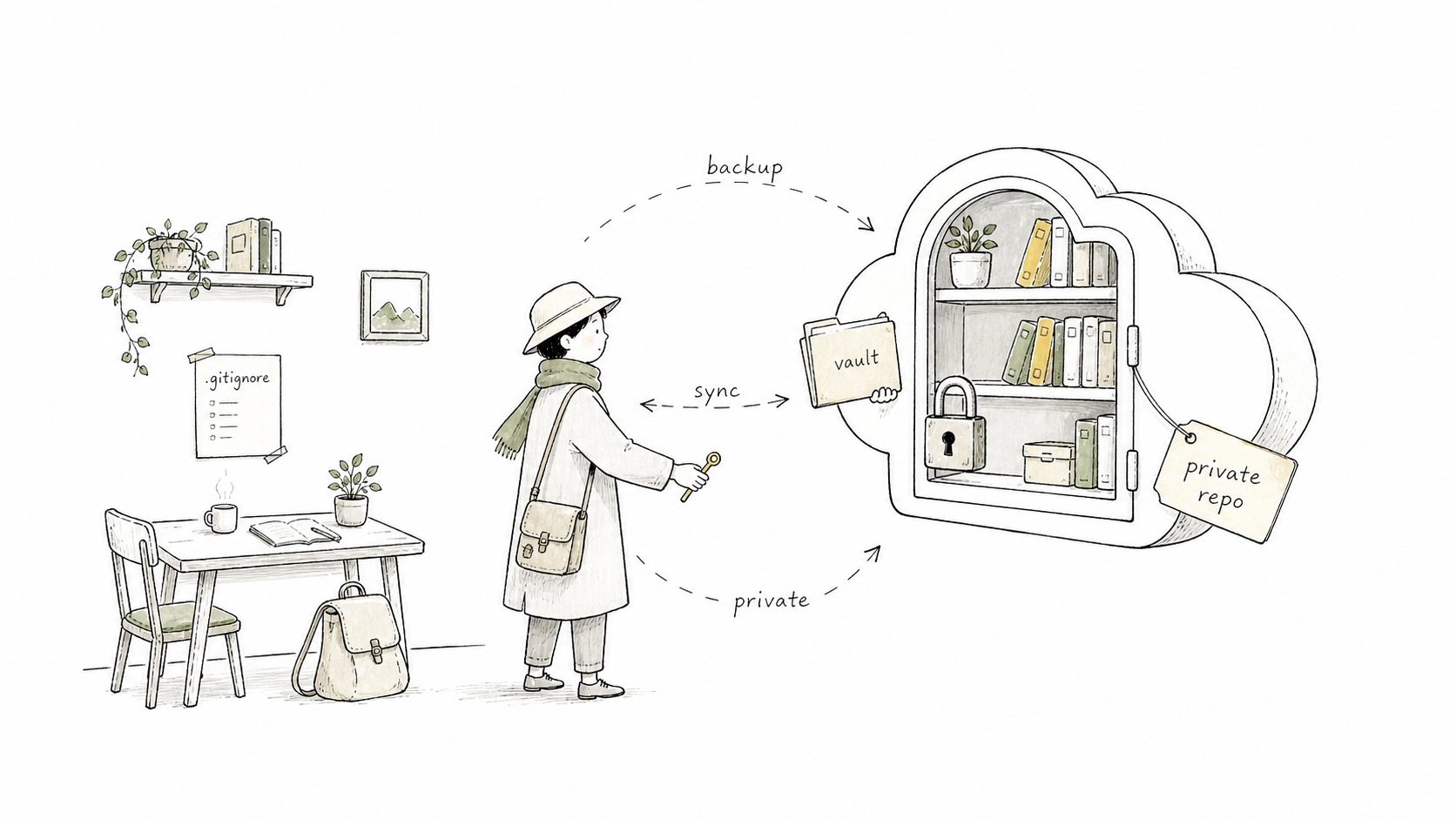
Private sync with gitignore
Private sync / 私有同步

GitHub can be a private backup lane, not a public notebook.

English

  • Use a private repository for personal notes.
  • Never commit API keys, tokens, passwords, or private identity data.
  • Use .gitignore to exclude caches, local settings, and sensitive files.
  • Remember: sync helps, but it is not the same as a complete backup strategy.

中文

  • 个人笔记使用私有仓库。
  • 不要提交 API key、token、密码或私人身份信息。
  • 用 .gitignore 排除缓存、本地设置和敏感文件。
  • 记住:同步有帮助,但不等于完整备份策略。
A private repository bookshelf
Plugin policy / 插件策略

Plugins are tools for workflows, not trophies for collection.

English

Install plugins only after you know the job they serve. A stable student vault usually needs fewer tools than the internet suggests.

Start with capture, sync, templates, and visual notes. Add database-like tools only when your notes become structured enough to query.

中文

先知道插件解决什么问题,再安装。稳定的学生知识库,通常不需要网上推荐的那么多工具。

先解决收集、同步、模板、视觉笔记。等笔记结构足够稳定,再考虑查询型工具。

Plugins as bento compartments
Recommended layers / 推荐分层

A conservative plugin stack for beginners.

SyncObsidian Git, only after Git basics are clear.
CaptureObsidian Web Clipper or browser capture tools.
StructureTemplates first; Dataview later if needed.
VisualsExcalidraw for sketches, maps, and lecture diagrams.

English

The browser Web Clipper is not the same kind of thing as an Obsidian community plugin. Treat it as a capture companion.

中文

浏览器 Web Clipper 不完全等同于 Obsidian 内部社区插件。更准确地说,它是一个网页收集工具。

A small plugin tray
Codex collaboration / Codex 协作

Use Codex as a librarian, editor, and project assistant, not as an invisible memory box.

English

  • Ask Codex to organize new sources into the right folders.
  • Ask it to create summaries with source links.
  • Ask it to build project indexes and reading maps.
  • Review every important change before treating it as knowledge.

中文

  • 让 Codex 把新资料整理进正确目录。
  • 让它生成带来源的摘要。
  • 让它建立项目索引和阅读地图。
  • 重要内容进入知识库前,仍然需要人来复核。
Codex reading markdown notes
Operating loop / 操作闭环

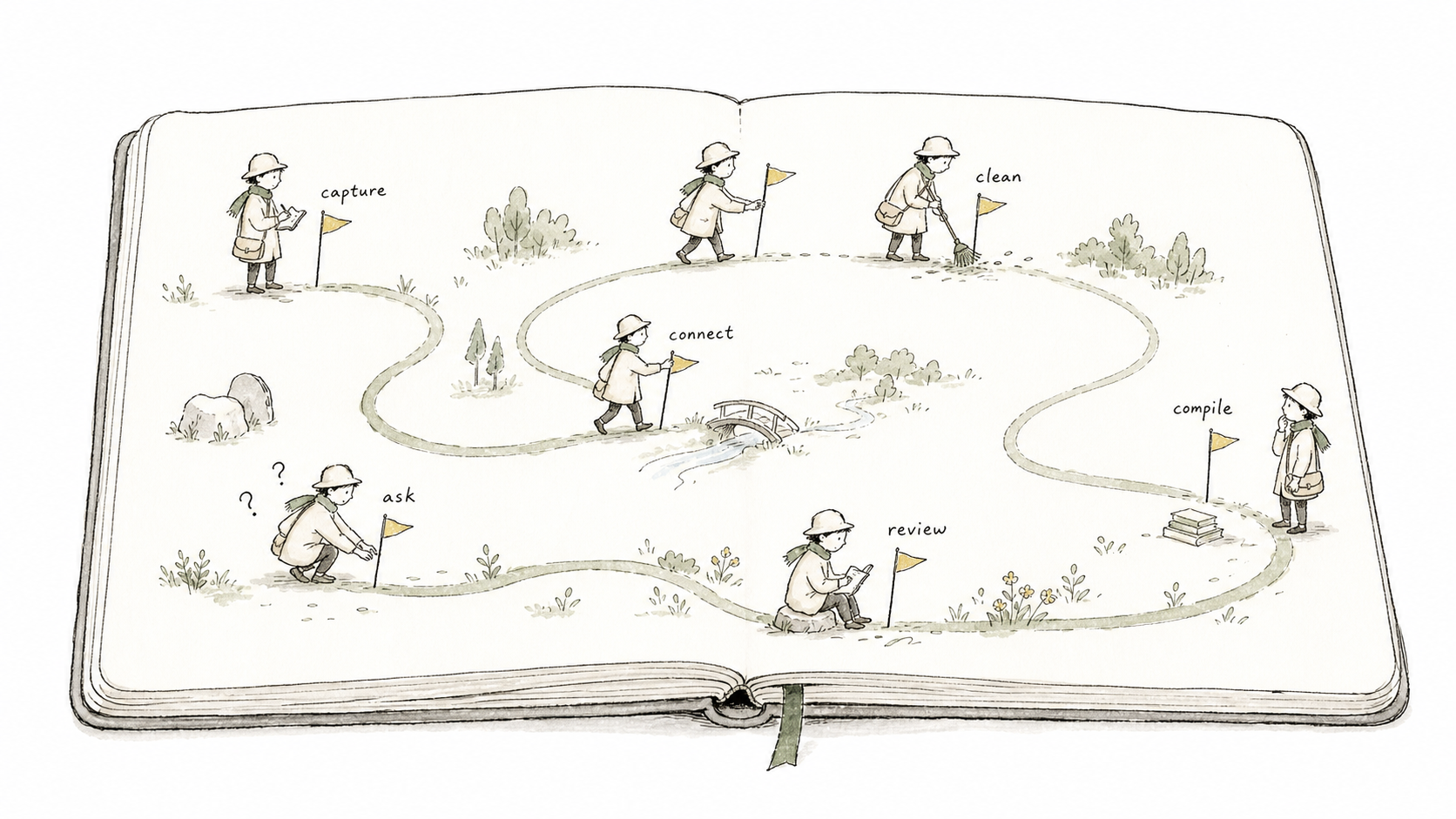
Capture, clean, connect, compile, ask, review.

English

  1. Capture the source.
  2. Clean the note into readable Markdown.
  3. Connect it to existing topics.
  4. Compile summaries and concept pages.
  5. Ask Codex to use the vault for a real task.
  6. Review what changed.

中文

  1. 收集来源。
  2. 清理成可读 Markdown。
  3. 连接到已有主题。
  4. 编译摘要和概念页。
  5. 让 Codex 基于知识库完成真实任务。
  6. 复核改动。
Capture clean connect compile ask review
Student use cases / 学生场景

Where this helps at Cornell or any research university.

Course readingTurn weekly readings into linked summaries.
Research labTrack papers, protocols, meetings, and decisions.
Project workKeep specs, drafts, data notes, and retrospectives together.
Career prepMaintain resumes, cover letters, writing samples, and interview notes.

English

The point is not to store everything. The point is to keep the material you will reuse.

中文

重点不是把一切都存进去,而是留下未来会复用的材料。

Reusable student knowledge
Prompt templates / 可执行提示词

Give Codex a concrete job inside the vault.

Read AGENTS.md first.
Then process the files in inbox/.
For each source:
- create a concise summary in notes/
- preserve the original source link
- add 3-5 topic links
- update projects/course-index.md
Do not delete or rewrite original source files.

English

Good prompts define scope, input, output path, evidence rules, and what not to do.

中文

好的提示词会说明范围、输入、输出路径、证据规则,以及禁止事项。

A prompt as a workflow map
Safety / 安全边界

Private notes still need privacy rules.

English

  • Do not store secrets in notes.
  • Do not paste private pages into third-party AI tools.
  • Use private repositories for personal vaults.
  • Ask Codex to report before destructive changes.
  • Keep source material traceable.

中文

  • 不要把密钥写进笔记。
  • 不要把私人页面交给第三方网页 AI。
  • 个人 vault 使用私有仓库。
  • 破坏性操作前让 Codex 先报告。
  • 保留来源可追溯。
Private safety rules
Final model / 最终模型

Five-minute setup gets you started. A review loop makes it last.

English

The durable version is not just Obsidian plus plugins. It is a small operating system for learning: files, templates, source rules, AI instructions, review habits, and privacy boundaries.

Keep it simple enough that you will actually use it next week.

中文

可持续版本不只是 Obsidian 加插件,而是一套学习操作系统:文件、模板、来源规则、AI 指令、复盘习惯和隐私边界。

保持足够简单,这样下周你还会继续用它。

Sustainable learning workflow
← 返回线下交流 · 课件馆